



Most digital teams still talk about accessibility as if it begins and ends with screen readers. That framing is outdated, narrow, and quietly harmful. It reduces real people to a single tool and treats inclusion as a compliance task rather than a design responsibility. Assistive-tech-first UX asks a different question. Instead of asking how a product behaves once assistive technology is turned on, it asks how the product behaves when assistive technology is the starting point.
Assistive-tech-first UX is not a trend or a new label for old accessibility work. It is a design stance. It assumes that people navigate digital products through many combinations of tools, settings, workarounds, and cognitive strategies. Screen readers matter, yet they are only one part of a wider assistive ecosystem that includes voice control, switch devices, magnification, captioning, simplified interfaces, reading modes, predictive input, haptics, and automation features that were never marketed as “accessibility tools” but function as such every day.
Design teams that cling to a screen-reader-only mindset miss critical failure points. They pass audits and still ship exclusion. They meet WCAG success criteria and still create friction, fatigue, and dependence. Assistive-tech-first UX exists to close that gap.
This article positions assistive-tech-first UX as a necessary evolution in inclusive design practice. It challenges checkbox thinking, questions AI-led shortcuts, and reframes legal compliance as a floor rather than a finish line. Most importantly, it shows how designing beyond screen readers leads to better products for everyone, not just those using assistive tools.



Assistive-tech-first UX means designing with assistive technologies as primary users, not edge cases. It treats assistive tools as legitimate interaction layers, not fallback mechanisms. This approach changes how teams frame research, make trade-offs, and evaluate quality.
In a screen-reader-centric model, teams often ask whether content is readable aloud and whether focus order is technically correct. In an assistive-tech-first UX model, teams examine effort, predictability, recovery, and control across tools. They ask how many actions it takes to complete a task using voice navigation. They test what happens when magnification collapses layouts. They explore how cognitive load shifts when captions lag behind speech. They look at where automation helps and where it quietly removes agency.
Assistive-tech-first UX does not discard WCAG. It recognises WCAG as a shared baseline that protects against obvious harm. The issue arises when WCAG becomes the design goal rather than the constraint. Passing guidelines does not guarantee usable experiences. Many inaccessible products are technically compliant and practically unusable.
Designing beyond screen readers forces teams to confront that truth.
Buy on Amazon

Legal compliance dominates accessibility conversations for understandable reasons. Regulations bring urgency, accountability, and risk. Yet when compliance becomes the only lens, teams optimise for audits rather than people. Assistive-tech-first UX pushes back on this habit by exposing its limits.
WCAG success criteria are deliberately tool-agnostic. They focus on outcomes rather than experiences. This makes them flexible and durable, yet it also means they say little about real-world use. A form can be labelled correctly and still demand exhausting repetition from a voice-control user. A dashboard can meet contrast ratios and still collapse under magnification. A workflow can pass keyboard checks and still trap switch users in loops.
Checkbox thinking often leads to late-stage fixes. Labels are added after layouts are final. Focus styles are patched once engineering is complete. These changes reduce legal exposure while preserving deeper design flaws. Assistive-tech-first UX flips the order. It brings assistive interaction into early design decisions, where structural choices still exist.
From a legal standpoint, this approach is safer, not riskier. Regulators increasingly look beyond formal compliance toward reasonable adjustments and demonstrable effort. Products designed with assistive-tech-first UX show intent, not just adherence. They are easier to defend when challenged and more resilient as standards evolve.
A major failure of accessibility conversations lies in treating assistive technology as a monolith. Screen readers dominate because they are visible, testable, and well documented. Yet many users never touch them. Others rely on multiple tools at once, switching constantly based on context.
Voice control users experience interfaces through command grammar and recognition accuracy. Switch users depend on scanning patterns and timing tolerance. People using magnification navigate spatially rather than hierarchically. Cognitive support tools reshape reading flow, memory, and attention. Captions introduce time-based dependencies that affect comprehension and trust.
Assistive-tech-first UX accounts for these differences without fragmenting design. It looks for shared principles that reduce effort across tools. Clear structure helps screen readers and magnifiers alike. Predictable navigation supports voice and switch access. Calm visual hierarchy reduces cognitive strain and improves caption alignment.
Designing beyond screen readers is not about serving every tool individually. It is about recognising how design decisions ripple across assistive ecosystems.
AI is frequently positioned as a shortcut to accessibility. Auto-generated alt text, automated captions, AI-driven summaries, and voice interfaces are sold as solutions that reduce design effort. Assistive-tech-first UX demands a more critical stance.
Automation can help, yet it often introduces new barriers. Auto-generated descriptions lack context and intention. Captions fail under accents, domain language, or noisy environments. AI summaries remove nuance and control, particularly for users who rely on precise information sequencing. Voice interfaces assume speech clarity, privacy, and cultural alignment that many users do not have.
Assistive-tech-first UX treats AI as an assistant, not an authority. It asks where AI supports user agency and where it replaces it. It evaluates failure modes, not just success cases. Most importantly, it resists using AI to compensate for weak design foundations.
A poorly structured interface does not become inclusive because AI explains it. An overloaded workflow does not become usable because a chatbot guides users through it. Assistive-tech-first UX insists that core interaction design carries the weight, with AI layered responsibly on top.
Dark patterns are often discussed in visual terms: misleading buttons, hidden costs, forced continuity. Assistive-tech-first UX reveals less obvious forms of manipulation that disproportionately affect assistive technology users.
Voice interfaces can obscure choices through phrasing. Screen readers can mask urgency cues or downplay consequences. Sequential navigation can bury opt-outs behind repeated confirmations. Cognitive overload can pressure users into acceptance simply to escape complexity.
These patterns are rarely intentional, yet intent does not reduce impact. Assistive-tech-first UX exposes how design shortcuts turn into coercion when users lack fast exit paths or flexible control. It reframes ethical design as an accessibility issue, not a separate concern.
From a compliance perspective, dark patterns increasingly attract regulatory attention. Designing beyond screen readers helps teams identify subtle coercion early, before it becomes legal risk.
Accessibility toolkits are growing. Plugins, overlays, testing tools, and dashboards promise coverage and confidence. Many teams accumulate them without clarity, mistaking quantity for maturity. Assistive-tech-first UX resists tool overload by prioritising understanding over instrumentation.
Overlays are a common example. They claim to “fix” accessibility through user-controlled widgets. In practice, they often interfere with native assistive technologies, create inconsistent experiences, and shift responsibility onto users. Assistive-tech-first UX rejects this outsourcing of design responsibility.
Testing tools have value, yet they cannot replace human evaluation. Automated checks catch syntax errors, not experiential breakdowns. Assistive-tech-first UX treats tools as signals, not verdicts. It pairs them with lived testing, scenario walkthroughs, and qualitative insight.
Reducing tool overload simplifies governance. Fewer tools, used well, produce clearer evidence and stronger accountability.
Assistive-tech-first UX becomes tangible through everyday design decisions. It shows up in how flows are structured, how language is written, and how systems respond to failure.
Teams designing beyond screen readers prioritise task completion paths over page completeness. They reduce optional steps and surface exits early. They write instructions that make sense when read aloud, chunked, or skimmed. They design feedback that travels across modalities, not just visuals.
They test interaction sequences, not just screens. They ask how users recover from errors without starting over. They observe how assistive technologies change pacing and attention. They value calm, not cleverness.
After several paragraphs of explanation, it is useful to clarify the shift with concrete contrasts:
- Screen-reader-only thinking checks whether content is technically readable; assistive-tech-first UX checks whether tasks are realistically completable
- Checkbox compliance fixes labels late; assistive-tech-first UX shapes structure early
- AI-led accessibility automates explanations; assistive-tech-first UX reduces the need for explanation
- Tool-heavy strategies chase coverage; assistive-tech-first UX builds confidence through simplicity
These contrasts highlight why designing beyond screen readers is not extra work. It is better prioritisation.












One persistent myth is that inclusive design conflicts with speed, cost, or creativity. Assistive-tech-first UX challenges this by aligning inclusive practice with legal resilience.
Regulations change. Case law evolves. What remains stable is evidence of thoughtful design process. Teams that document assistive-tech-first decisions show foresight. They demonstrate that accessibility considerations influenced architecture, not just polish.
This approach also reduces retrofit costs. Fixing structural issues late is expensive and risky. Designing beyond screen readers reduces rework by preventing those issues in the first place.
For organisations operating across regions, assistive-tech-first UX provides consistency. Rather than chasing jurisdiction-specific checklists, teams design robust experiences that travel well across standards.
xploreUX approaches assistive-tech-first UX as a strategic capability, not a compliance service. The focus is on helping teams move from reactive fixes to proactive design thinking. This means embedding assistive perspectives into discovery, not just validation.
The work centres on reframing questions. Instead of asking whether a product meets guidelines, teams learn to ask how it behaves under constraint. Instead of assuming a default user, they design for variability. Instead of trusting automation, they cultivate judgement.
This positioning matters because inclusive design is often delegated to specialists. Assistive-tech-first UX belongs with core design leadership. It shapes product quality, trust, and long-term viability.
Want to go deeper into assistive-tech-first UX?
If this article resonated, the next step is learning how to apply assistive-tech-first UX in real design work — beyond audits, overlays, and WCAG checklists.
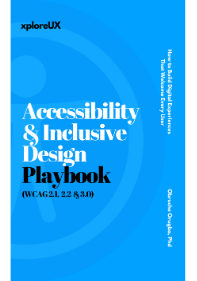
I’ve written a practical guide that breaks down inclusive and assistive-first design in a way most teams never get taught. It focuses on real interaction design, decision-making, and long-term design quality — not surface-level compliance.
Accessibility and Inclusive Design is for UX professionals, product teams, founders, and leaders who want to design responsibly without slowing delivery or outsourcing thinking to tools.
Explore the book here:
Accessibility and Inclusive Design
If you care about building products that stand up legally, ethically, and experientially, this is where the work continues.
Assistive-tech-first UX is not about abandoning standards or rejecting tools. It is about refusing to confuse them with design quality. Designing beyond screen readers reveals blind spots that compliance alone cannot catch. It surfaces ethical risk, reduces cognitive strain, and improves resilience across devices and contexts.
As regulation tightens and AI accelerates, the gap between compliant and usable experiences will grow more visible. Products that rely on checklists, overlays, and automation will struggle to defend their choices. Products shaped through assistive-tech-first UX will adapt with confidence.
For design leaders, this shift represents a strategic opportunity. Inclusive design becomes a marker of maturity rather than obligation. Accessibility moves from risk management to capability building. Assistive-tech-first UX becomes not just how we include more people, but how we design better systems.
Designing beyond screen readers is the work ahead. It demands rigour, humility, and intent. It also rewards teams with clearer products, stronger trust, and experiences that hold up under real human use.
The UX & AI Playbook: Harnessing User Experience in an Age of Machine Learning
The UX Strategy Playbook: Designing Experiences that Put Users First
The UX Consultant Playbook 1: Bridging User Insights with Business Goals
The UX Consultant Playbook 2: Crafting High-Impact Solutions
The UX Deliverables Playbook: Communicate UX Clearly & Confidently
The UX Consultant Playbook 3: Mastering the Business of UX Consulting
Vibe Coding & UX Thinking Playbook: How to Turn Your Ideas Into Real Apps Using Plain English and UX Thinking